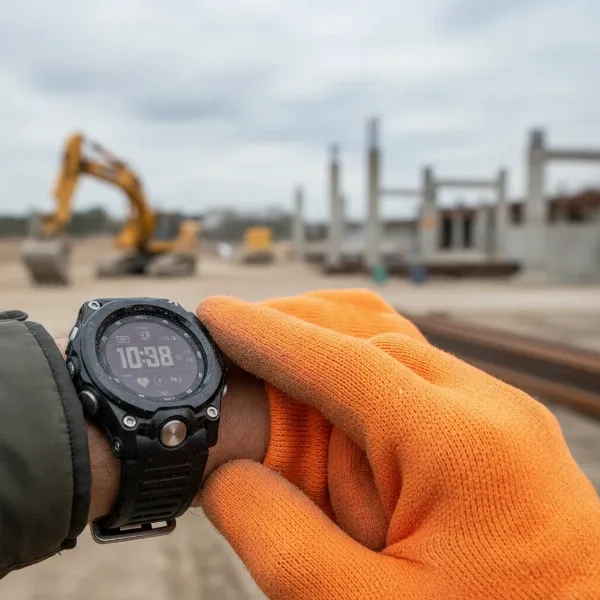
Your Wear OS smartwatch is more than just a timepiece; it’s a powerful extension of your digital life, designed to keep you connected, active, and informed. With Wear OS 5, Google has refined the experience, focusing on enhanced performance, improved battery efficiency, and deeper personalization. But unlocking its full potential often lies in knowing the subtle tips and tricks that transform a good smartwatch experience into an exceptional one. This guide will walk you through customizing your Wear OS 5 device, optimizing its functionality, and discovering hidden features to truly make it your own.
Mastering Your Wear OS 5 Display
The screen of your Wear OS 5 watch is your primary interaction point, offering a wealth of customization options to reflect your style and keep essential information at a glance.
Customizing Watch Faces
|
Our Picks for the Best Smartwatch in 2026
As an Amazon Associate I earn from qualifying purchases.
|
||
| Num | Product | Action |
|---|---|---|
| 1 | Amazfit Bip 6 Smart Watch 46mm, 14 Day Battery, 1.97" AMOLED Display, GPS & Free Maps, AI, Bluetooth Call & Text, Health, Fitness & Sleep Tracker, 140+ Workout Modes, 5 ATM Water-Resistance, Black |

|
| 2 | Smart Watch for Men, 120+ Sports Modes Smartwatch with 1.83" HD Touchsreen, Sleep Monitor, IP67 Waterproof, Bluetooth Call & Music Control Fitness Watch for iPhone/Android Black |
|
| 3 | Smart Watch for Men Women Compatible with iPhone Samsung Android Phone 1.83 inch Full Touch Screen IP68 Waterproof Bluetooh Fitness Tracker Heart Rate/Sleep Monitor, Black |
|
| 4 | Smart Watch, 2026 AMOLED 1.43" Fitness Smartwatch for Men Women, Bluetooth 5.4 Call, 130+Sports Modes, 60+Days Flashlight, Heart Rate/Sleep Monitor, IP68 Waterproof Activity Tracker for Android iOS |
|
| 5 | SAMSUNG Galaxy Watch 7 40mm Bluetooth AI Smartwatch w/Energy Score, Wellness Tips, Heart Rate Tracking, Sleep Monitor, Fitness Tracker, 2024, Cream [US Version, 1Yr Manufacturer Warranty] |
|
| 6 | Smart Watch with Alexa Built-in, 1.83" HD Touchscreen Fitness Tracker with Bluetooth Calling, Fitness Watch with Heart Rate/Sleep Monitor, 120+ Sports Modes, IP68 Waterproof Smartwatch for Android iOS |
|
| 7 | Apple Watch Series 11 [GPS 46mm] Smartwatch with Jet Black Aluminum Case with Sport Band - M/L. Sleep Score, Fitness Tracker, Health Monitoring, Always-On Display, Water Resistant |
|
| 8 | Smart Watch for Men, 120 Sports Modes Smartwatch with 1.83" HD Touchsreen, IP67 Waterproof, Sleep Monitor, Bluetooth Call & Music Control Fitness Watch for Android/iPhone (Black) |
|
| 9 | Apple Watch Series 11 [GPS 42mm] Smartwatch with Rose Gold Aluminum Case with Light Blush Sport Band - S/M. Sleep Score, Fitness Tracker, Health Monitoring, Always-On Display, Water Resistant |
|
| 10 | WHOOP 5.0/MG Activity Tracker - 12 Month Membership - Health and Fitness Wearable – 24/7 Activity and Sleep Tracker, Personalized Coaching, Menstrual Cycle Insights – 14+ Days Battery Life |
|
Changing your watch face is arguably the quickest and most impactful way to personalize your Wear OS 5 device. Google has significantly enhanced the Watch Face Format, offering more dynamic and interactive designs. You can select from a vast array of pre-installed faces, or dive into Google Play and third-party platforms like Facer to explore thousands more. Many watch faces now come with “Flavors,” which are preset configurations that allow for quick style changes. Additionally, you can often customize colors, hands, and other elements directly on the watch or through its companion app, ensuring your watch face perfectly complements your mood or outfit.
Utilizing Tiles for Quick Access
Tiles are essentially customizable widgets that provide quick, glanceable information and actions without needing to open full applications. They are designed for efficiency, allowing you to swipe left or right from your watch face to access key updates like weather forecasts, fitness stats, calendar events, or media controls. You can easily add, remove, and rearrange tiles to create a personalized layout that suits your daily needs. Leading apps like Spotify and Google Keep also offer their own unique tiles, expanding your quick-access capabilities.
Understanding and Customizing Complications
Complications are small data snippets displayed directly on your watch face, offering vital information at a glance. Think of them as miniature apps, showing everything from your daily step count and heart rate to battery life and upcoming appointments. With Wear OS 5, the Watch Face Format includes enhanced complication types such as goal progress, weighted elements, and updated weather conditions, along with a dedicated heart rate data source. Customizing complications allows you to prioritize the information that matters most to you, making your watch face both aesthetically pleasing and incredibly functional.
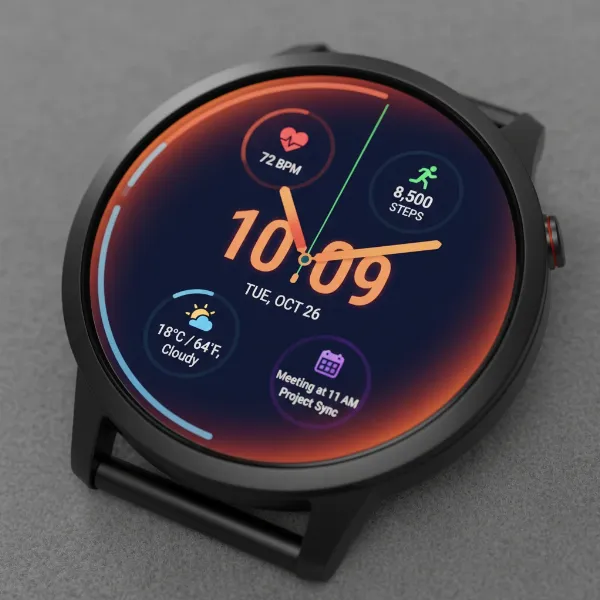 A close-up of a customized Wear OS 5 watch face showing various data complications and a personalized design.
Optimizing Performance and Battery Life
Wear OS 5 brings notable improvements in power consumption and performance, but a few user-side adjustments can further enhance your device’s endurance and responsiveness.
Essential Battery Saving Tips
Even with Wear OS 5’s improved efficiency, managing battery life is crucial for any smartwatch user. Simple steps can make a big difference:
- Toggle Wi-Fi and Tilt-to-Wake: If you don’t constantly need Wi-Fi or prefer not to have your screen light up with every wrist movement, turning off these features can significantly conserve power.
- Properly Close Background Apps: Many apps can continue running in the background, consuming battery. Instead of just pressing the crown (which often only minimizes an app), swipe from the left edge of the screen to properly quit applications when you’re done using them.
Enhanced Performance and Navigation
Wear OS 5 is designed to launch apps faster and run more smoothly than its predecessors. It also introduces better support for different screen sizes, leading to improved system navigation and a denser, more organized app selection screen. These under-the-hood optimizations contribute to a snappier, more fluid overall user experience.
Smart Interactions and Hidden Gems
Beyond customization, Wear OS 5 offers a range of smart interactions and features that can simplify your daily routines.
Tailoring Your Quick Settings
The Quick Settings panel, accessible by swiping down from the top of your watch face, provides shortcuts to essential functions like airplane mode, DND, and flashlight. While customization can vary slightly between devices, particularly between Samsung Galaxy Watches and standard Wear OS devices, you can generally add, remove, or rearrange icons to create a quick access panel that perfectly matches your preferences. On Samsung devices, this can often be managed through the Galaxy Wearable app on your phone.
Advanced Notification Management
Notifications are a cornerstone of the smartwatch experience. Wear OS 5 allows for fine-tuned control over what alerts you receive and how. You can activate Do Not Disturb (DND) mode from Quick Settings to silence notifications, and even configure exceptions for specific apps or contacts directly from your phone’s Wear OS companion app. For those seeking even greater control, third-party apps like “Custom Wear Notifications” can help you configure unique notification styles.
Useful Gestures for Seamless Control
Certain Wear OS devices, particularly those in the Samsung Galaxy Watch line, offer intuitive wrist gestures for hands-free control. For instance, you might be able to answer calls by bending your elbow twice or decline them by twisting your wrist. While specific gestures can vary by model, they provide a convenient way to interact with your watch when your hands are busy. Additionally, a simple swipe down from the top of your screen can temporarily turn off your watch display and silence notifications, ideal for undisturbed moments.
Remote Control Capabilities
Your Wear OS 5 smartwatch can act as a powerful remote for other devices. One popular hidden feature is the ability to control your phone’s camera remotely. This is perfect for group photos, stable long-exposure shots, or capturing moments from a distance. Many watches come with this app pre-installed, or you can download one. Wear OS 5 also offers media output device choices, allowing you to seamlessly switch audio playback between your watch, connected headphones, or other compatible devices.
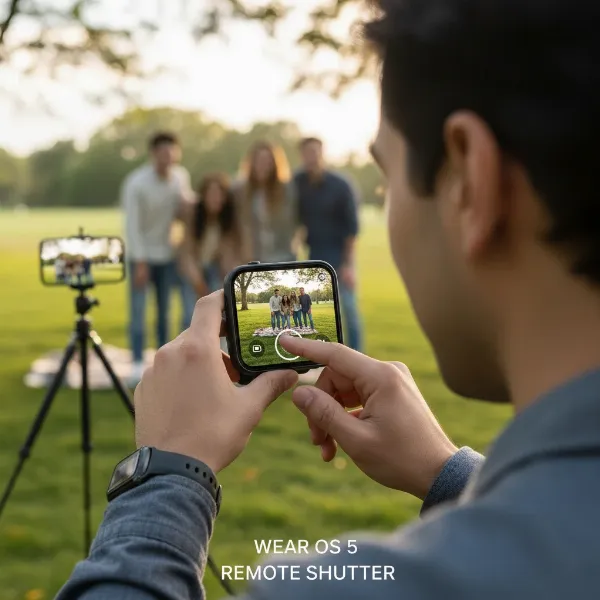 A user holding a Wear OS 5 smartwatch, which displays a live camera feed, indicating remote control functionality for a smartphone camera.
Enhanced Fitness Tracking
For fitness enthusiasts, Wear OS 5 brings significant advancements. Health Services updates include more detailed running metrics such as Ground Contact Time, Stride Length, Vertical Oscillation, and Vertical Ratio, which can be shared via Health Connect. The introduction of “debounced goals” allows you to set specific workout targets, like maintaining a heart rate range for a set period, with the watch providing timely alerts if you fall out of range.
Personalizing Your Smartwatch Beyond Software
Customization isn’t limited to the digital realm. The physical aspects of your Wear OS 5 smartwatch also offer ample opportunities for personalization.
Choosing the Right Apps
The Google Play Store on your Wear OS device is a gateway to expanding its functionality. Whether you’re a fitness enthusiast looking for specialized workout trackers, a music lover wanting seamless streaming controls, or someone who needs help staying organized, there’s an app for almost every lifestyle. Explore new apps to discover how your smartwatch can become an even more indispensable tool.
Expressing Your Style with Bands and Designs
Beyond the screen, your smartwatch’s physical appearance can be tailored to match your personal aesthetic. While smartwatches typically come with a standard band, an extensive market of third-party bands exists. Choose from various materials like woven, stretch, active, or leather, and a spectrum of colors to match your outfit or mood. Furthermore, Wear OS is supported by a diverse range of brands, offering watches with sophisticated traditional designs, rugged adventure profiles, or sleek modern aesthetics, ensuring you can find a device that truly embodies your style.
Conclusion
Wear OS 5 transforms your smartwatch into an even more powerful and personal device. By exploring the depths of watch face customization, leveraging the utility of tiles and complications, optimizing battery life, and discovering smart interactions like remote camera control and enhanced fitness tracking, you can tailor your smartwatch experience to perfectly fit your lifestyle. Your Wear OS 5 device is a canvas for personalization, ready to adapt to your unique needs and preferences, enhancing your daily life one tap and swipe at a time.
What are your favorite ways to customize your Wear OS 5 smartwatch, and what hidden gems have you discovered that truly set your experience apart?
Frequently Asked Questions
How do I change my watch face on Wear OS 5?
To change your watch face, typically long-press the current watch face on your screen, then swipe through the available options. You can also customize elements like colors and complications directly from this menu or through the Wear OS companion app on your phone.
What are complications and how do I use them?
Complications are small, customizable data displays on your watch face that provide quick information from apps, such as steps, heart rate, or weather. You can usually add or change complications by long-pressing your watch face and entering the customization options.
How can I improve battery life on my Wear OS 5 watch?
To extend battery life, consider turning off features like Wi-Fi and “tilt-to-wake” if not constantly needed. Also, ensure you properly quit background applications by swiping them away from the left edge of the screen, rather than just pressing the crown.
Can I customize Quick Settings on all Wear OS 5 watches?
Customization of Quick Settings can vary. While all Wear OS 5 watches allow access to the Quick Settings panel, the ability to extensively rearrange or add icons is more prominent on certain devices, such as Samsung Galaxy Watches, often managed via their specific companion app.