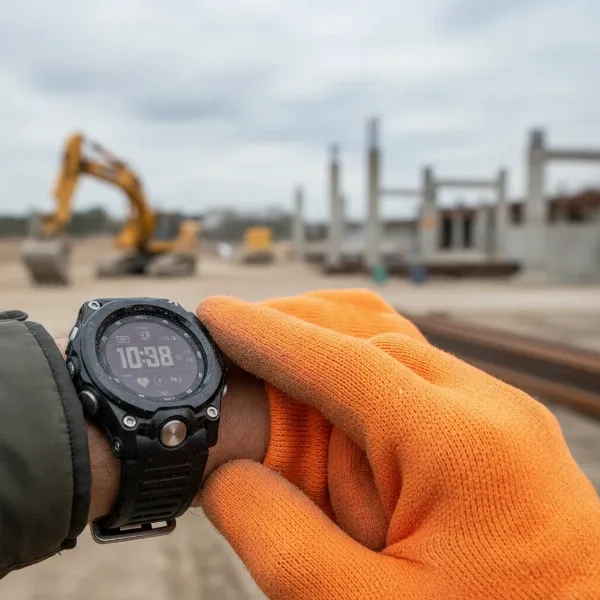
Imagine confidently navigating bustling city streets, hiking remote trails, or cycling new routes, all with just a glance at your wrist. Smartwatches have transformed from mere notification hubs into powerful navigation companions, offering unprecedented convenience and a hands-free experience. For anyone seeking to simplify their journeys and stay oriented without constantly pulling out a phone, understanding how to leverage the mapping and navigation capabilities of a smartwatch is a game-changer.
This guide will unveil the intricacies of smartwatch navigation, covering everything from fundamental technologies to platform-specific functionalities and essential tips. Whether you’re an urban explorer, a fitness enthusiast, or an outdoor adventurer, your smartwatch is ready to lead the way.
The Rise of Wrist Navigation
The appeal of wrist-based navigation is undeniable. Beyond the primary benefit of keeping your hands free, smartwatches offer discreet guidance through vibrations or subtle on-screen prompts, which can be invaluable in unfamiliar areas or when you want to avoid appearing distracted. This convenience extends to various scenarios, from following walking directions in a crowded market to staying on course during a bike ride without risking your phone. For many, it’s about reducing reliance on a larger, more cumbersome device, allowing for a more immersive and safer experience in the moment.
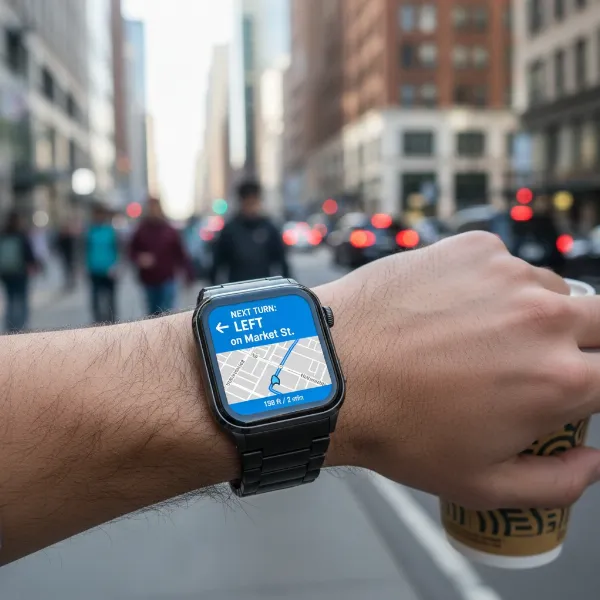 A person uses a smartwatch for urban navigation, showing turn-by-turn directions on the wrist.
Understanding Smartwatch Navigation Fundamentals
Before diving into specific platforms, it’s helpful to grasp the core technologies that power navigation on your wrist.
GPS vs. Cellular: What’s the Difference?
- GPS (Global Positioning System): Most modern smartwatches come with built-in GPS, enabling them to pinpoint your location with remarkable accuracy, independent of your phone. This is crucial for tracking activities like running, cycling, or hiking, where precise distance and route mapping are essential. A GPS-enabled smartwatch can record your path and provide real-time metrics even when your phone is left behind.
- Cellular Connectivity: Smartwatches with cellular capabilities (often requiring a separate service plan) can access mapping data and initiate navigation directly, without needing to be tethered to your smartphone via Bluetooth or Wi-Fi. This offers true independence, allowing you to make calls, stream music, and navigate even if your phone isn’t nearby. Non-cellular models typically rely on your phone for data, mirroring directions from your paired device.
|
Our Picks for the Best Smartwatch in 2026
As an Amazon Associate I earn from qualifying purchases.
|
||
| Num | Product | Action |
|---|---|---|
| 1 | SAMSUNG Galaxy Watch 7 40mm Bluetooth AI Smartwatch w/Energy Score, Wellness Tips, Heart Rate Tracking, Sleep Monitor, Fitness Tracker, 2024, Cream [US Version, 1Yr Manufacturer Warranty] |
![Check SAMSUNG Galaxy Watch 7 40mm Bluetooth AI Smartwatch w/Energy Score, Wellness Tips, Heart Rate Tracking, Sleep Monitor, Fitness Tracker, 2024, Cream [US Version, 1Yr Manufacturer Warranty] on Amazon](https://smartwatchus.com/wp-content/plugins/amazon-tables/assets/images/buy.png)
|
| 2 | Apple Watch Series 11 [GPS 46mm] Smartwatch with Jet Black Aluminum Case with Sport Band - M/L. Sleep Score, Fitness Tracker, Health Monitoring, Always-On Display, Water Resistant |
|
| 3 | Smart Watch for Men, 120+ Sports Modes Smartwatch with 1.83" HD Touchsreen, Sleep Monitor, IP67 Waterproof, Bluetooth Call & Music Control Fitness Watch for iPhone/Android Black |
|
| 4 | WHOOP 5.0/MG Activity Tracker - 12 Month Membership - Health and Fitness Wearable – 24/7 Activity and Sleep Tracker, Personalized Coaching, Menstrual Cycle Insights – 14+ Days Battery Life |
|
| 5 | Amazfit Bip 6 Smart Watch 46mm, 14 Day Battery, 1.97" AMOLED Display, GPS & Free Maps, AI, Bluetooth Call & Text, Health, Fitness & Sleep Tracker, 140+ Workout Modes, 5 ATM Water-Resistance, Black |
|
| 6 | Smart Watch with Alexa Built-in, 1.83" HD Touchscreen Fitness Tracker with Bluetooth Calling, Fitness Watch with Heart Rate/Sleep Monitor, 120+ Sports Modes, IP68 Waterproof Smartwatch for Android iOS |
|
| 7 | Smart Watch, 2026 AMOLED 1.43" Fitness Smartwatch for Men Women, Bluetooth 5.4 Call, 130+Sports Modes, 60+Days Flashlight, Heart Rate/Sleep Monitor, IP68 Waterproof Activity Tracker for Android iOS |
|
| 8 | Apple Watch Series 11 [GPS 42mm] Smartwatch with Rose Gold Aluminum Case with Light Blush Sport Band - S/M. Sleep Score, Fitness Tracker, Health Monitoring, Always-On Display, Water Resistant |
|
| 9 | Smart Watch for Men Women Compatible with iPhone Samsung Android Phone 1.83 inch Full Touch Screen IP68 Waterproof Bluetooh Fitness Tracker Heart Rate/Sleep Monitor, Black |
|
| 10 | Smart Watch for Men, 120 Sports Modes Smartwatch with 1.83" HD Touchsreen, IP67 Waterproof, Sleep Monitor, Bluetooth Call & Music Control Fitness Watch for Android/iPhone (Black) |
|
Phone-Tethered vs. Standalone Navigation
The majority of smartwatches operate in a phone-tethered mode for navigation. You initiate a route on your smartphone using a map application, and the turn-by-turn directions, along with visual cues, are then mirrored to your watch screen.
However, advanced smartwatches, particularly those with built-in GPS and/or cellular connectivity, can offer standalone navigation. This means you can search for destinations and receive directions directly from your wrist, ideal for scenarios where carrying a phone is inconvenient or impossible, such as during intense workouts or remote expeditions.
Common Navigation Features
Regardless of the platform, several key features make smartwatch navigation highly effective:
- Turn-by-Turn Directions: Clear, concise instructions guiding you through each segment of your journey.
- Visual Map View: A miniature map displayed on your wrist, often with the ability to pan and zoom, providing context to your route.
- Haptic and Audio Alerts: Vibrations or subtle chimes signal upcoming turns, allowing you to keep your eyes on the road or trail.
- Route Overview and ETA: Quick access to the overall route, remaining distance, and estimated time of arrival.
- Voice Search/Assistant Integration: Many smartwatches allow you to speak your destination or ask for directions using a voice assistant, further enhancing the hands-free experience.
- Offline Maps: The ability to download maps for an area in advance ensures navigation works even without a cellular signal or internet connection, a critical feature for off-grid adventures.
Navigating with Popular Smartwatch Platforms
The experience of using maps on your wrist varies depending on your smartwatch’s operating system and the apps available.
Apple Watch Navigation
Apple Watch, with its tight integration into the Apple ecosystem, offers a highly refined navigation experience.
- Apple Maps: The native Apple Maps app provides a seamless experience. You can initiate navigation directly from your watch, or start a route on your iPhone, and it will automatically mirror to your Apple Watch. Key features include distinctive haptic feedback (different vibration patterns for left and right turns) and clear visual cues. You can scroll through upcoming directions or view the full map on your wrist. For outdoor enthusiasts, the Maps app includes features like the “Walking Radius” to explore nearby points of interest and the ability to find detailed hiking trails, including elevation profiles and access points. Cellular models can navigate independently of your iPhone.
- Google Maps/Waze: Both Google Maps and Waze are available for Apple Watch, providing familiar interfaces for users accustomed to these apps. While they offer turn-by-turn directions, the functionality might sometimes be more limited compared to the native Apple Maps experience, often requiring you to start the route on your iPhone first.
- Third-Party Apps: Specialized apps like Komoot and Magic Earth cater to niche navigation needs, offering features such as offline maps and detailed route planning for hiking and cycling, which are particularly beneficial for challenging terrains.
Wear OS Navigation (Google Maps & Others)
Wear OS smartwatches, primarily paired with Android phones, leverage Google’s robust mapping services for navigation.
- Google Maps: This is the cornerstone of navigation on Wear OS. You can seamlessly start navigation on your paired Android phone, and the directions will automatically appear on your smartwatch. For Wear OS 3 and newer, you can also initiate navigation directly from the watch, searching for destinations using voice commands or by tapping on the map. Google Maps on Wear OS offers turn-by-turn directions, an interactive map view (with panning and zooming via the digital crown or gestures), and a compass mode. Offline map capabilities are supported, ensuring you remain on track even in areas with poor connectivity.
- Setup: To ensure smooth operation, make sure your smartwatch is paired, Google Maps is updated on both devices, location services are enabled, and notifications for Google Maps are turned on. Disabling battery optimizations for navigation apps can also prevent interruptions.
- Google Assistant: Voice commands are particularly efficient on Wear OS. Simply say “Hey Google” or “OK Google” and ask for directions, and Google Maps will launch with the route details, offering a truly hands-free way to start your journey.
- Third-Party Apps: Beyond Google Maps, apps like “Navigation Wear” (which acts as a companion app for mirroring Google Maps directions to various smartwatches), Strava for fitness routing, and Citymapper for public transit are popular choices.
Garmin Smartwatches (Outdoor & Fitness Focus)
Garmin smartwatches, renowned for their ruggedness and advanced fitness tracking, excel in outdoor navigation.
- Topographic Maps: High-end Garmin models feature preloaded topographic maps, offering rich detail including contour lines for elevation, points of interest, and comprehensive turn-by-turn guidance. These are indispensable for hikers, trail runners, and cyclists exploring challenging or unfamiliar terrain.
- Breadcrumb Navigation: Entry-level Garmin watches typically use “breadcrumb” navigation, which displays a simple line representing your route, rather than detailed topographical maps. While less information-rich, it still effectively guides you along a predefined path.
- Unique Features for Adventurers:
- Saved Locations/Waypoints: Mark and navigate to specific GPS coordinates.
- Sight ‘N Go: Point your watch in a direction to set a course.
- Round-Trip Course: Generate routes of a specific distance that bring you back to your starting point, perfect for impromptu runs or rides.
- TracBack® Routing: Navigate back to your starting point along the exact path you took.
- ClimbPro Ascent: Provides real-time information on current and upcoming climbs, including gradient, distance, and elevation gain.
- Garmin Explore/Connect Integration: Seamlessly plan routes, search for trails, and send them to your compatible Garmin device.
These robust features make Garmin watches a top choice for serious outdoor enthusiasts who demand reliable, detailed navigation even in the most remote environments.
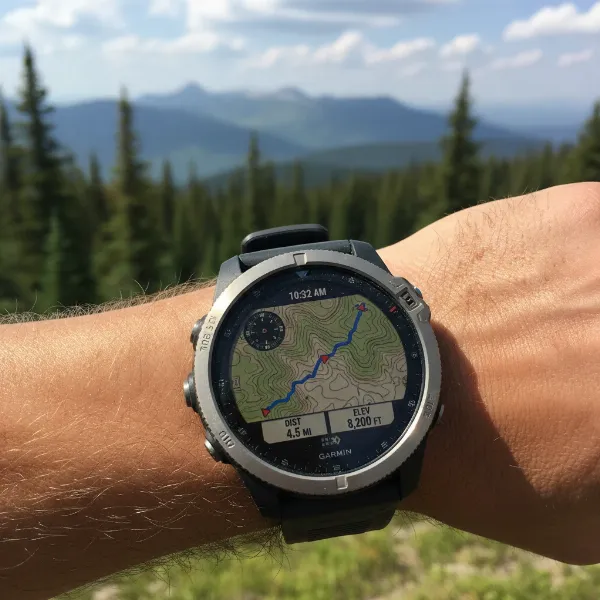 A Garmin smartwatch displays a detailed topographic map and trail navigation in an outdoor setting.
Choosing the Right Smartwatch for Your Navigation Needs
Selecting the ideal smartwatch for navigation depends heavily on your lifestyle and primary use cases:
- Purpose: Are you looking for casual city navigation, or do you need rugged, off-grid mapping for hiking or cycling? For basic directions, most smartwatches suffice. For detailed outdoor exploration, Garmin or feature-rich Apple/Wear OS models with advanced mapping apps are better.
- Phone Dependency: Do you always carry your phone, or do you need true standalone navigation? If independence is key, an LTE-enabled Apple Watch or Wear OS device, or a Garmin watch with built-in GPS and offline maps, is essential.
- Ecosystem: Your current smartphone platform (iOS or Android) will largely dictate your smartwatch choices for the most integrated experience.
- Specific Features: Consider if offline maps, topographic data, unique sports-specific routing (like Garmin’s Round-Trip Course), or voice assistant integration are critical for your needs.
- Battery Life: Navigation, especially with GPS, is a significant battery drain. Factor in battery longevity if you plan for extended trips without charging.
Tips for Optimal Smartwatch Navigation
To get the most out of your wrist-based navigation, follow these practical tips:
- Ensure Proper Pairing and Connection: Always verify that your smartwatch is correctly paired with your smartphone (if required) and has a stable connection.
- Keep Apps Updated: Regularly update your mapping and navigation applications on both your phone and watch to ensure you have the latest features, bug fixes, and map data.
- Enable Location Services and Notifications: Grant necessary location permissions to your navigation apps on both devices. Ensure notifications are enabled so turn-by-turn directions appear promptly on your watch.
- Manage Battery Life: GPS usage can significantly drain your smartwatch battery. Download offline maps for your route in advance to reduce reliance on cellular data, and disable unnecessary features when navigating long distances.
- Utilize Voice Commands: When available, voice control offers a truly hands-free way to input destinations and manage your navigation, allowing you to focus on your surroundings.
- Familiarize Yourself with Haptic/Audio Cues: Learn the specific vibration patterns or audio signals your watch uses for different turns. This can be more effective than constantly looking at the screen.
“Smartwatch navigation isn’t just a gimmick; it’s a seamless extension of your directional sense. The best experience comes from understanding its capabilities and integrating it thoughtfully into your daily movement.” – Alex Chen, Smartwatch Technology Expert at SmartwatchUS.com
Conclusion
Smartwatches have evolved into indispensable navigation tools, offering unparalleled convenience and a hands-free approach to finding your way. From the intuitive interface of Apple Watch and the robust Google Maps integration on Wear OS to the detailed outdoor mapping of Garmin devices, there’s a smartwatch designed to guide every journey. By understanding the core technologies, leveraging platform-specific features, and implementing smart usage tips, you can unlock the full potential of navigation right on your wrist. Embrace the future of personal guidance and experience the freedom of exploring new paths with confidence.
What adventures will your smartwatch lead you on next?
Frequently Asked Questions
Can I use my smartwatch for navigation without my phone?
Yes, many modern smartwatches offer standalone navigation. This typically requires either built-in GPS for location tracking or cellular connectivity to access map data independently. For example, cellular-enabled Apple Watches and some Wear OS devices can navigate without a paired phone nearby. Garmin watches with preloaded maps and GPS also provide robust standalone navigation for outdoor activities.
Which navigation apps are best for smartwatches?
For general use, Apple Maps (on Apple Watch) and Google Maps (on Wear OS and Apple Watch) are excellent due to their seamless integration and comprehensive features. For outdoor adventures, apps like Komoot and Alltrails (available on both platforms) or the native mapping features on Garmin smartwatches are highly recommended for their detailed topographic maps and trail data. Waze is also popular for real-time traffic updates.
Does smartwatch navigation drain battery quickly?
Yes, using GPS and active map display for navigation can significantly impact your smartwatch’s battery life. To mitigate this, consider downloading offline maps when available, reducing screen brightness, and disabling other non-essential features during navigation. Smartwatches with larger batteries or those specifically designed for outdoor use (like many Garmin models) often offer better endurance during GPS-intensive activities.
How accurate is smartwatch GPS?
The GPS accuracy on most modern smartwatches is generally very good, often within a few meters, making them reliable for most navigation and activity tracking purposes. Factors like clear skies, the quality of the watch’s GPS receiver, and the presence of multi-band GPS (on some advanced models) can further enhance accuracy. For critical navigation, especially in dense urban areas or challenging terrains, combining smartwatch GPS with cellular data (if available) can provide even greater precision.