Smartwatches have become indispensable companions, keeping us connected and informed with a glance at the wrist. However, there are moments when that constant stream of alerts can become a distraction rather than a convenience. Whether you’re in an important meeting, enjoying a quiet movie, or simply seeking uninterrupted focus, knowing how to quickly silence your smartwatch notifications is a vital skill. This guide will walk you through the most effective and swift methods to achieve immediate peace and quiet across popular smartwatch platforms.
Why Quick Silencing Matters
The ability to instantly silence your smartwatch isn’t just about personal preference; it’s about control and courtesy. Imagine your watch loudly chiming during a crucial presentation, or vibrating incessantly during a romantic dinner. Such disruptions can be embarrassing and disrespectful to those around you. More importantly, constant notifications can fragment your focus, hinder productivity, and even disrupt your sleep patterns. Quickly managing these alerts allows you to reclaim your attention, improve sleep quality, and maintain a respectful presence in various social and professional settings. It’s about finding the perfect balance between staying informed and staying present.
Universal Quick-Mute Features on Smartwatches
While specific actions may vary between brands, most smartwatches offer core features designed for rapid notification management. Understanding these universal modes is the first step to mastering quick silencing.
Do Not Disturb (DND) Mode
|
Our Picks for the Best Smartwatch in 2026
As an Amazon Associate I earn from qualifying purchases.
|
||
| Num | Product | Action |
|---|---|---|
| 1 | WHOOP 5.0/MG Activity Tracker - 12 Month Membership - Health and Fitness Wearable – 24/7 Activity and Sleep Tracker, Personalized Coaching, Menstrual Cycle Insights – 14+ Days Battery Life |

|
| 2 | Smart Watch with Alexa Built-in, 1.83" HD Touchscreen Fitness Tracker with Bluetooth Calling, Fitness Watch with Heart Rate/Sleep Monitor, 120+ Sports Modes, IP68 Waterproof Smartwatch for Android iOS |
|
| 3 | SAMSUNG Galaxy Watch 7 40mm Bluetooth AI Smartwatch w/Energy Score, Wellness Tips, Heart Rate Tracking, Sleep Monitor, Fitness Tracker, 2024, Cream [US Version, 1Yr Manufacturer Warranty] |
|
| 4 | Apple Watch Series 11 [GPS 42mm] Smartwatch with Rose Gold Aluminum Case with Light Blush Sport Band - S/M. Sleep Score, Fitness Tracker, Health Monitoring, Always-On Display, Water Resistant |
|
| 5 | Smart Watch, 2026 AMOLED 1.43" Fitness Smartwatch for Men Women, Bluetooth 5.4 Call, 130+Sports Modes, 60+Days Flashlight, Heart Rate/Sleep Monitor, IP68 Waterproof Activity Tracker for Android iOS |
|
| 6 | Smart Watch for Men, 120+ Sports Modes Smartwatch with 1.83" HD Touchsreen, Sleep Monitor, IP67 Waterproof, Bluetooth Call & Music Control Fitness Watch for iPhone/Android Black |
|
| 7 | Smart Watch for Men Women Compatible with iPhone Samsung Android Phone 1.83 inch Full Touch Screen IP68 Waterproof Bluetooh Fitness Tracker Heart Rate/Sleep Monitor, Black |
|
| 8 | Apple Watch Series 11 [GPS 46mm] Smartwatch with Jet Black Aluminum Case with Sport Band - M/L. Sleep Score, Fitness Tracker, Health Monitoring, Always-On Display, Water Resistant |
|
| 9 | Amazfit Bip 6 Smart Watch 46mm, 14 Day Battery, 1.97" AMOLED Display, GPS & Free Maps, AI, Bluetooth Call & Text, Health, Fitness & Sleep Tracker, 140+ Workout Modes, 5 ATM Water-Resistance, Black |
|
| 10 | Smart Watch for Men, 120 Sports Modes Smartwatch with 1.83" HD Touchsreen, IP67 Waterproof, Sleep Monitor, Bluetooth Call & Music Control Fitness Watch for Android/iPhone (Black) |
|
Do Not Disturb (DND) mode is your go-to for comprehensive silence. When activated, it mutes all incoming calls, alerts, and notifications, ensuring your watch remains quiet. Many platforms allow you to set exceptions, letting calls or messages from favored contacts still come through, which is perfect for ensuring critical communications aren’t missed. You can typically activate DND manually with a few taps or schedule it to turn on automatically during specific times, such as your bedtime.
Theater Mode / Cinema Mode
Designed for environments where light and sound would be disruptive, Theater Mode (sometimes called Cinema Mode) goes a step further than DND. It not only silences notifications but also keeps your screen dark and disables the “raise to wake” gesture. This prevents accidental screen illumination or audible alerts, making it ideal for movie theaters, stage performances, or any situation requiring absolute discretion.
Sleep Mode
Often integrated with or similar to DND, Sleep Mode is tailored to enhance your rest. It focuses on minimizing disturbances during your sleep hours, typically silencing notifications and dimming the display. Many smartwatches can even detect your sleep patterns and automatically activate this mode, ensuring your sleep tracking remains uninterrupted by late-night alerts. It’s a key feature for promoting healthier sleep habits.
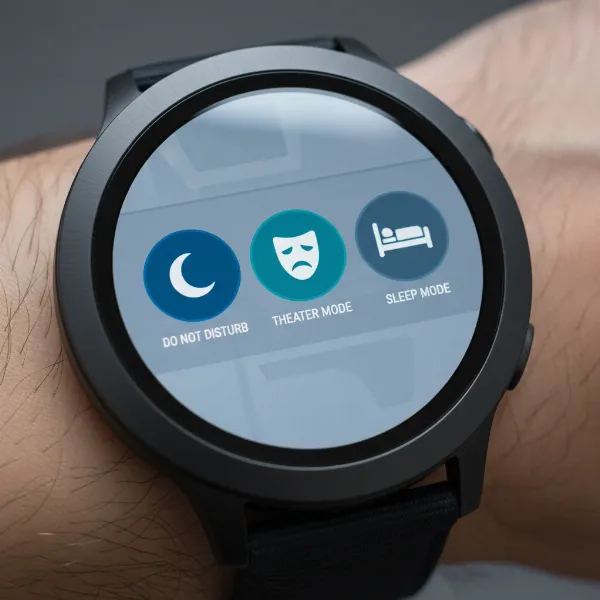 Smartwatch screen showing Do Not Disturb, Theater, and Sleep mode icons for silent operation.
Platform-Specific Quick Silencing Techniques
Each major smartwatch ecosystem has its own unique gestures and shortcuts for silencing notifications instantly. Learning these will give you precise control over your device.
Apple Watch
Apple Watch users benefit from several intuitive methods for silencing alerts:
- Cover to Mute: This is perhaps the fastest way to mute an incoming alert. When your Apple Watch rings or buzzes with a notification, simply rest the palm of your hand over the display for at least three seconds. You’ll feel a confirming tap, and the alert will be silenced. Ensure “Cover to Mute” is enabled in your Watch app settings on your iPhone under Sounds & Haptics.
- Silent Mode: For a more general quiet, you can enable Silent Mode from the Control Center. Swipe up from the watch face (or press the side button on watchOS 10 and later) to open Control Center, then tap the bell icon. This mutes all alerts except for haptic feedback and alarms.
- Do Not Disturb/Focus: Also accessible from the Control Center, Do Not Disturb can be activated manually or linked to your iPhone’s Focus modes. This allows for scheduled quiet times or situation-specific silencing, like during work or a personal focus period.
- Theater Mode: Toggle Theater Mode on from the Control Center to silence notifications and keep your screen dark, preventing it from lighting up with wrist raises.
Samsung Galaxy Watch (Wear OS)
Samsung Galaxy Watch devices, running Wear OS, also offer robust options for quick silencing:
- Do Not Disturb (DND): The quickest way to activate DND is by swiping down from the watch face to open the Quick Settings panel, then tapping the crescent moon icon. This will silence most notifications and can be set to sync with your phone’s DND settings.
- Mute Mode: Similar to DND, Mute Mode can be found in the Quick Settings panel or by navigating through Settings > Sounds and Vibration. Toggling this on will silence all sounds on your watch.
- Triple Press Home Button Shortcut: For ultimate speed, you can configure the Home button for a triple-press shortcut. Go to the Galaxy Wearable app on your phone, then Watch settings > Accessibility > Advanced settings > Home button shortcut, and select “Mute All Sounds.” Once set, three quick presses of the Home button will instantly silence your watch.
- Goodnight Mode: This specialized mode, often found in Quick Settings, optimizes your watch for sleep by silencing notifications, turning off always-on display, and disabling raise-to-wake.
Garmin Watches
Garmin watches, known for their fitness and outdoor capabilities, provide straightforward silencing options:
- Do Not Disturb (DND): Most Garmin watches allow you to activate DND by holding down a specific button (often the ‘Light’ or ‘Up’ button) to bring up the controls menu, then selecting the DND icon. This will silence alerts and vibrations. You can also schedule DND hours via the Garmin Connect app on your smartphone, ensuring automatic quiet during your sleep or specific times.
- Dismissing Notifications During Activities: If a notification appears while you’re tracking an activity, many Garmin models allow you to quickly dismiss it without interrupting your workout. On some Forerunner models, for instance, pressing the “Down” button to fully view the notification, then “Back” or “Start” twice, can clear it from your screen. This is crucial for maintaining focus during intense training sessions.
Fitbit Devices
Fitbit trackers and smartwatches prioritize health and wellness, offering simple ways to manage notifications:
- Do Not Disturb (DND) Mode: To quickly activate DND on most Fitbit devices, swipe down from the clock face to access your Quick Settings. Look for the DND icon (often a crescent moon) and tap it to silence all notifications and prevent the screen from turning on when you move your wrist.
- Sleep Mode: Also found in the Quick Settings menu, Sleep Mode works in conjunction with your sleep tracking. It silences notifications and dims the screen to help you get an undisturbed night’s rest. This mode can often be set to activate automatically.
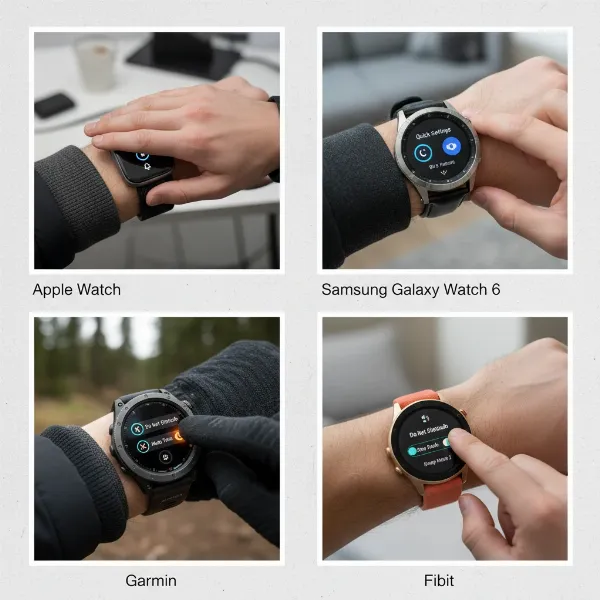 Diverse smartwatches (Apple, Samsung, Garmin, Fitbit) demonstrating platform-specific quick silencing methods.
Beyond Quick Mutes: Advanced Notification Control
While quick-mute features are essential for immediate action, sometimes you need a more granular approach to notification management.
- Scheduled Silence: Leverage the scheduling capabilities of DND and Sleep modes through your smartwatch’s companion app (e.g., Apple Watch app, Galaxy Wearable, Garmin Connect, Fitbit app). This ensures your watch automatically goes quiet during recurring events like meetings, school, or bedtime.
- Individual App Management: For persistent disturbances, you can disable notifications for specific apps. This is typically done through the companion app on your phone. For example, on an Apple Watch, you can control app notifications in the iPhone’s Watch app. Similarly, Samsung users can manage apps via the Galaxy Wearable app, Garmin users via Garmin Connect, and Fitbit users through the Fitbit app. This allows you to cherry-pick which apps are allowed to alert you.
- Vibration Settings: If audible alerts are off but vibrations are still too much, you can often adjust the intensity of haptic feedback or disable vibrations entirely in your watch’s sound and haptics settings.
“A smartwatch should enhance your life, not control it. Knowing how to quickly silence notifications empowers you to choose when and how you engage with your digital world, fostering a healthier balance between connectivity and tranquility.” – Admin, SmartwatchUS.com
Troubleshooting: When Your Watch Won’t Stay Quiet
Occasionally, your smartwatch might still buzz even after you’ve attempted to silence it. Here are some common troubleshooting steps:
- Check Phone Settings: If your smartwatch mirrors your phone’s settings, ensure your phone’s Do Not Disturb or Focus modes are also active and configured correctly.
- Verify App-Specific Settings: Some apps have their own notification settings that might override general watch settings. Double-check these within the individual app or its dedicated settings on your phone.
- Restart Devices: A simple restart of both your smartwatch and your paired smartphone can often resolve minor software glitches causing notification issues.
- Disconnect and Reconnect: As a last resort, try disconnecting and then re-pairing your smartwatch with your phone.
Conclusion
Mastering the art of quickly silencing your smartwatch notifications is a game-changer for anyone seeking a more balanced and less intrusive digital experience. From intuitive gestures like Apple Watch’s “Cover to Mute” to comprehensive Do Not Disturb modes across all major platforms, you have a wealth of tools at your disposal to achieve instant peace. By understanding these quick methods and leveraging advanced controls, you can ensure your smartwatch serves your needs without demanding constant attention, allowing you to stay focused, present, and respectful of your surroundings.
Which quick-mute feature do you find most essential for your daily life?
Frequently Asked Questions
How do I turn off all sounds on my smartwatch?
To turn off all sounds on most smartwatches, activate Do Not Disturb (DND) mode or Silent Mode from your device’s Quick Settings or Control Center. Many watches also offer a dedicated mute option in their sound settings.
What’s the difference between Do Not Disturb and Theater Mode?
Do Not Disturb (DND) primarily silences notifications and calls, often allowing for exceptions. Theater Mode, on the other hand, silences notifications, keeps the screen dark, and disables raise-to-wake, making it ideal for environments where any light or sound would be distracting.
Can I silence my watch but still receive calls from certain people?
Yes, most smartwatches allow you to customize Do Not Disturb mode to permit calls from specific contacts or favorite groups. You can usually configure these exceptions within your phone’s DND or Focus settings, which then sync to your watch.
Why is my smartwatch still buzzing even in DND mode?
If your smartwatch is still vibrating in DND mode, check if you have allowed specific exceptions for calls or apps. Also, ensure that DND mode is fully activated on both your watch and your paired phone, as they often sync their settings.
How do I stop vibrations from notifications on my smartwatch?
To stop vibrations, you can typically adjust the haptic feedback settings within your smartwatch’s sound and haptics menu. Activating Do Not Disturb or Silent Mode will usually disable vibrations for notifications as well.