Is your smartwatch struggling to make it through the day? You’re not alone. Modern smartwatches are packed with incredible features, from fitness tracking to smart notifications, but this technological prowess often comes at the cost of battery life. Constantly reaching for the charger can be a real hassle, especially when you rely on your wearable for essential tasks. But what if you could significantly extend your smartwatch’s uptime with a few simple adjustments? This guide will unveil 10 powerful, actionable tips designed to help you reclaim your smartwatch’s endurance, ensuring it stays powered up when you need it most.
Top Strategies to Maximize Smartwatch Battery Life
Understanding how your smartwatch consumes power is the first step toward extending its battery life. Many features, while convenient, are significant energy drains. By intelligently managing these settings, you can unlock hours, if not days, of additional usage from a single charge.
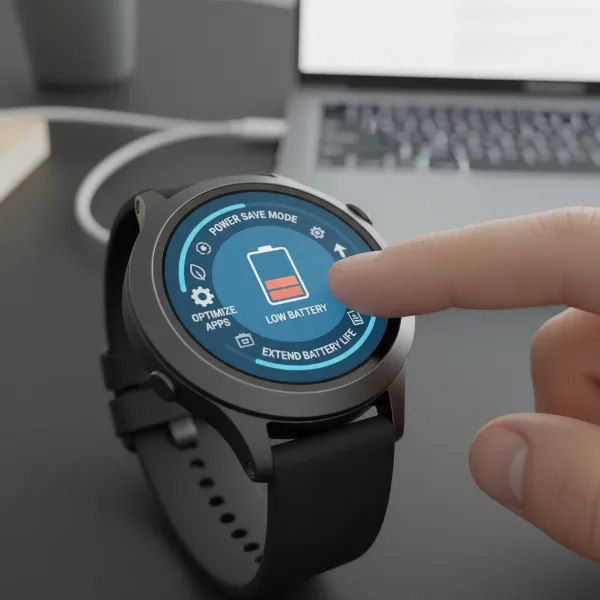 a smartwatch screen showing battery optimization settings or a low battery icon
1. Disable Always-On Display (AOD)
The “Always-On Display” feature, which keeps a dim watch face visible at all times, is a luxury that comes at a high energy cost. While convenient for a quick glance, it constantly illuminates pixels, leading to rapid battery depletion.
- Why it works: Turning off AOD means the screen only activates when you actively raise your wrist or tap the display, drastically reducing screen-on time and power consumption.
- How to do it: Navigate to your smartwatch’s display settings, locate the “Always-On Display” or “AOD” option, and toggle it off. Most watches will then rely on a “Raise to Wake” gesture.
|
Our Picks for the Best Smartwatch in 2026
As an Amazon Associate I earn from qualifying purchases.
|
||
| Num | Product | Action |
|---|---|---|
| 1 | Smart Watch for Men, 120 Sports Modes Smartwatch with 1.83" HD Touchsreen, IP67 Waterproof, Sleep Monitor, Bluetooth Call & Music Control Fitness Watch for Android/iPhone (Black) |

|
| 2 | Apple Watch Series 11 [GPS 42mm] Smartwatch with Rose Gold Aluminum Case with Light Blush Sport Band - S/M. Sleep Score, Fitness Tracker, Health Monitoring, Always-On Display, Water Resistant |
|
| 3 | SAMSUNG Galaxy Watch 7 40mm Bluetooth AI Smartwatch w/Energy Score, Wellness Tips, Heart Rate Tracking, Sleep Monitor, Fitness Tracker, 2024, Cream [US Version, 1Yr Manufacturer Warranty] |
|
| 4 | Smart Watch for Men, 120+ Sports Modes Smartwatch with 1.83" HD Touchsreen, Sleep Monitor, IP67 Waterproof, Bluetooth Call & Music Control Fitness Watch for iPhone/Android Black |
|
| 5 | Smart Watch for Men Women Compatible with iPhone Samsung Android Phone 1.83 inch Full Touch Screen IP68 Waterproof Bluetooh Fitness Tracker Heart Rate/Sleep Monitor, Black |
|
| 6 | WHOOP 5.0/MG Activity Tracker - 12 Month Membership - Health and Fitness Wearable – 24/7 Activity and Sleep Tracker, Personalized Coaching, Menstrual Cycle Insights – 14+ Days Battery Life |
|
| 7 | Amazfit Bip 6 Smart Watch 46mm, 14 Day Battery, 1.97" AMOLED Display, GPS & Free Maps, AI, Bluetooth Call & Text, Health, Fitness & Sleep Tracker, 140+ Workout Modes, 5 ATM Water-Resistance, Black |
|
| 8 | Smart Watch, 2026 AMOLED 1.43" Fitness Smartwatch for Men Women, Bluetooth 5.4 Call, 130+Sports Modes, 60+Days Flashlight, Heart Rate/Sleep Monitor, IP68 Waterproof Activity Tracker for Android iOS |
|
| 9 | Smart Watch with Alexa Built-in, 1.83" HD Touchscreen Fitness Tracker with Bluetooth Calling, Fitness Watch with Heart Rate/Sleep Monitor, 120+ Sports Modes, IP68 Waterproof Smartwatch for Android iOS |
|
| 10 | Apple Watch Series 11 [GPS 46mm] Smartwatch with Jet Black Aluminum Case with Sport Band - M/L. Sleep Score, Fitness Tracker, Health Monitoring, Always-On Display, Water Resistant |
|
2. Adjust Screen Brightness and Timeout
A bright, vibrant display is appealing, but it’s often the single largest consumer of battery power. Similarly, a long screen timeout means your watch stays active longer than necessary.
- Why it works: Lowering brightness reduces the power required for illumination, while a shorter screen timeout ensures the display goes dark quicker.
- How to do it: Access display settings. Lower the brightness to a comfortable yet visible level. Consider enabling “Auto-Brightness” if available, as it dynamically adjusts to ambient light. Set the screen timeout to the shortest comfortable duration, typically 10-15 seconds.
3. Manage Notifications Strategically
Every incoming notification that lights up your screen, vibrates your wrist, or plays a sound draws power. Too many alerts from non-essential apps can silently drain your battery throughout the day.
- Why it works: Limiting notifications to only crucial apps reduces the frequency of screen activations and vibration motor usage.
- How to do it: Open your smartwatch companion app on your phone. Go to “Notifications” settings and review which apps are allowed to send alerts to your watch. Disable notifications for apps you don’t need immediate updates from.
4. Optimize GPS and Location Tracking
GPS is invaluable for fitness tracking and navigation, but its constant use or background activity is a well-known battery hog.
- Why it works: Turning off GPS when not actively tracking a workout or using navigation prevents continuous signal searching and location updates.
- How to do it: Look for “Location” or “GPS” settings on your watch or in its companion app. Disable it when not performing GPS-intensive activities. Some watches allow you to set location services to “phone only” or “when exercising.”
5. Limit Wireless Connectivity
Wi-Fi, cellular (LTE), and Bluetooth are essential for your smartwatch’s smart features, but leaving them constantly active or scanning can quickly diminish battery life.
- Why it works: Disabling unnecessary radios reduces background power draw from continuous searching for networks or maintaining connections.
- How to do it:
- Wi-Fi: Turn off Wi-Fi on your watch if you primarily rely on Bluetooth connection to your phone, or if you’re frequently out of range of known networks.
- Cellular (LTE): If your smartwatch has cellular capabilities, disable it unless you specifically need to make calls or stream music without your phone. Many watches offer an “Auto” mode that uses cellular only when Bluetooth is disconnected.
- Bluetooth: Keep Bluetooth enabled for phone connection, but ensure it’s not constantly searching for new devices if not paired. Consider using “Airplane Mode” when you truly don’t need any connectivity, like on a flight or overnight.
6. Choose a Simpler, Darker Watch Face
Your watch face isn’t just about aesthetics; it significantly impacts battery life. Animated, highly detailed, or bright watch faces demand more processing power and screen illumination.
- Why it works: Simple watch faces, especially those with dark or black backgrounds, consume less power, particularly on AMOLED screens where black pixels are completely off.
- How to do it: Browse your watch face library and opt for minimalist designs. Prioritize watch faces with static elements over animations and choose darker themes if your watch has an OLED or AMOLED display.
7. Utilize Your Watch’s Power Saving Mode
Most smartwatches include a dedicated power-saving or low-power mode designed to extend battery life by limiting certain functions.
- Why it works: These modes typically reduce screen brightness, limit background app activity, disable non-essential sensors, and simplify overall operation.
- How to do it: Access your watch’s settings menu and look for “Power Saving Mode,” “Low Power Mode,” or “Battery Saver.” Enable it when your battery is critically low or when you know you’ll be away from a charger for an extended period.
8. Control Background App Refresh
Many apps on your smartwatch continuously refresh data in the background, consuming processing power and network resources.
- Why it works: Limiting which apps can refresh in the background ensures only essential information is updated, reducing unnecessary power drain.
- How to do it: In your watch’s settings or companion app, find “Background App Refresh” or “App Usage.” Review the list and disable background activity for apps you don’t need constantly updated. Uninstall any apps you don’t use.
9. Keep Your Software Updated
Smartwatch manufacturers regularly release software updates that often include performance enhancements and, crucially, battery optimizations.
- Why it works: Updates can fix bugs that cause excessive power drain and introduce more efficient ways for your watch’s hardware and software to communicate.
- How to do it: Periodically check for software updates through your watch’s settings menu or its paired smartphone app. Install updates promptly to benefit from the latest improvements.
10. Adjust Heart Rate and Health Monitoring Frequency
Continuous heart rate tracking, blood oxygen monitoring, and other health features are key benefits of smartwatches, but they rely on sensors that are significant power consumers.
- Why it works: Reducing the frequency of these measurements, or switching to manual checks, lessens the workload on the watch’s sensors.
- How to do it: In your watch’s health or sensor settings, adjust the heart rate monitoring frequency from “continuous” to “every 10 minutes,” “every hour,” or “manual” if available. Do the same for other health metrics you don’t need constantly tracked.
“Optimizing smartwatch battery life isn’t about sacrificing functionality, but about smart management. Small changes in settings can make a monumental difference in daily usability.” – John Smith, Senior Smartwatch Technician, SmartwatchUS.com
Conclusion
Extending your smartwatch’s battery life doesn’t require a complete overhaul of your device usage, but rather a thoughtful approach to its settings. By implementing these 10 tips—from disabling the Always-On Display and adjusting brightness to managing notifications and optimizing connectivity—you can significantly enhance your smartwatch’s endurance. Remember, every little tweak contributes to a longer-lasting charge, ensuring your device is ready for whatever your day holds. Which of these tips will you try first to supercharge your smartwatch?